What Are Temporary Email Addresses and How They Work
Temporary email addresses (also known as burner, disposable, or throwaway emails) are short-lived email accounts designed for quick use and then discarded. Unlike your main email, these addresses are used to avoid spam, protect privacy, and maintain anonymity. They’re perfect for signing up for services, accessing free trials, or downloading resources without exposing your personal inbox.
Key Points:
- Purpose: Keep your main inbox clean and safe from spam.
- Types: Short-lived inboxes, forwarding aliases, and semi-disposable patterns.
- How They Work: These emails are randomly generated, often expire within minutes to days, and require no registration.
- Benefits to Users: Protect privacy, test services, and avoid promotional clutter.
- Challenges for Businesses: Skewed data, fake accounts, and email deliverability issues.
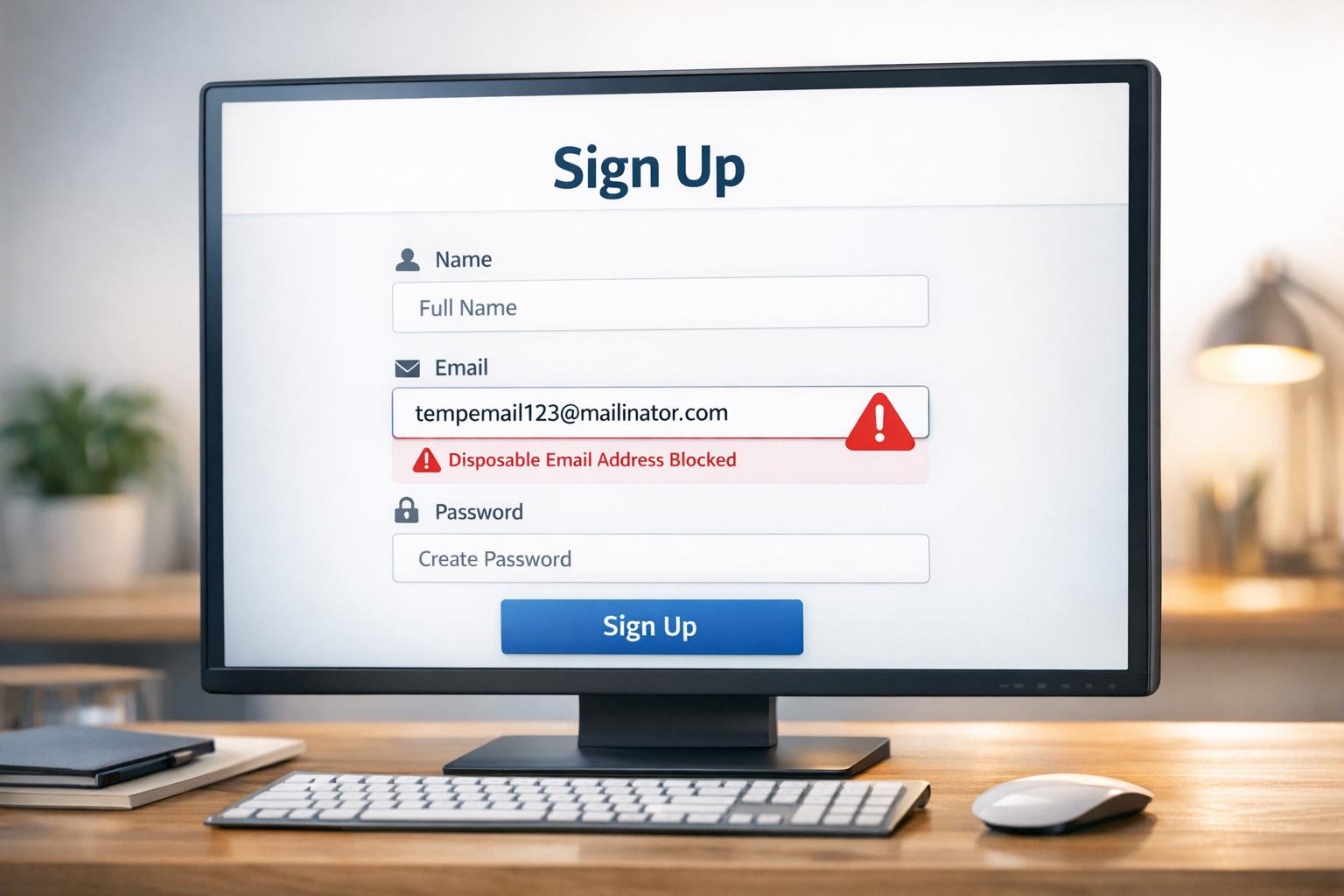
Temporary emails are a great tool for individuals but can create problems for businesses by disrupting data quality and enabling abuse. Tools like TempMailChecker can help detect and manage these addresses effectively.
Security, Privacy, and Spam: What Disposable Emails Truly Protect
Types of Temporary Email Services
Types of Temporary Email Services: Features and Comparison
Common Terms and Definitions
Temporary email services come with a variety of terms that all point to the same basic idea: an email address you use briefly and then discard. Temporary email (TEA) refers to an email address that exists for a limited time, usually ranging from 10 minutes to a few days. Disposable email address (DEA) highlights the intention to discard the address after use. The term burner email is borrowed from the idea of burner phones - cheap, disposable devices that can be tossed without much concern. You might also hear terms like throwaway email, fake email, or anonymous email, all describing similar services.
Some terms focus on specific features. Email aliasing, also called cloaking, masking, or hiding, forwards messages to your actual inbox until you decide to stop it. Plus addressing is a built-in feature of some email providers, where you can add a "+" and a tag to your email address (e.g., yourname+newsletter@gmail.com) to help with filtering. These approaches provide a mix of temporary and semi-permanent solutions, depending on how you use them. As software engineer Barry W. Boehm famously distinguished between validation and verification: "Validation: Are we building the right product? Verification: Are we building the product right?". This analogy applies well to how we evaluate email services - whether they meet your needs (validation) versus how reliably they function (verification). These terms lay the groundwork for understanding the different types of temporary email services.
Main Categories of Temporary Emails
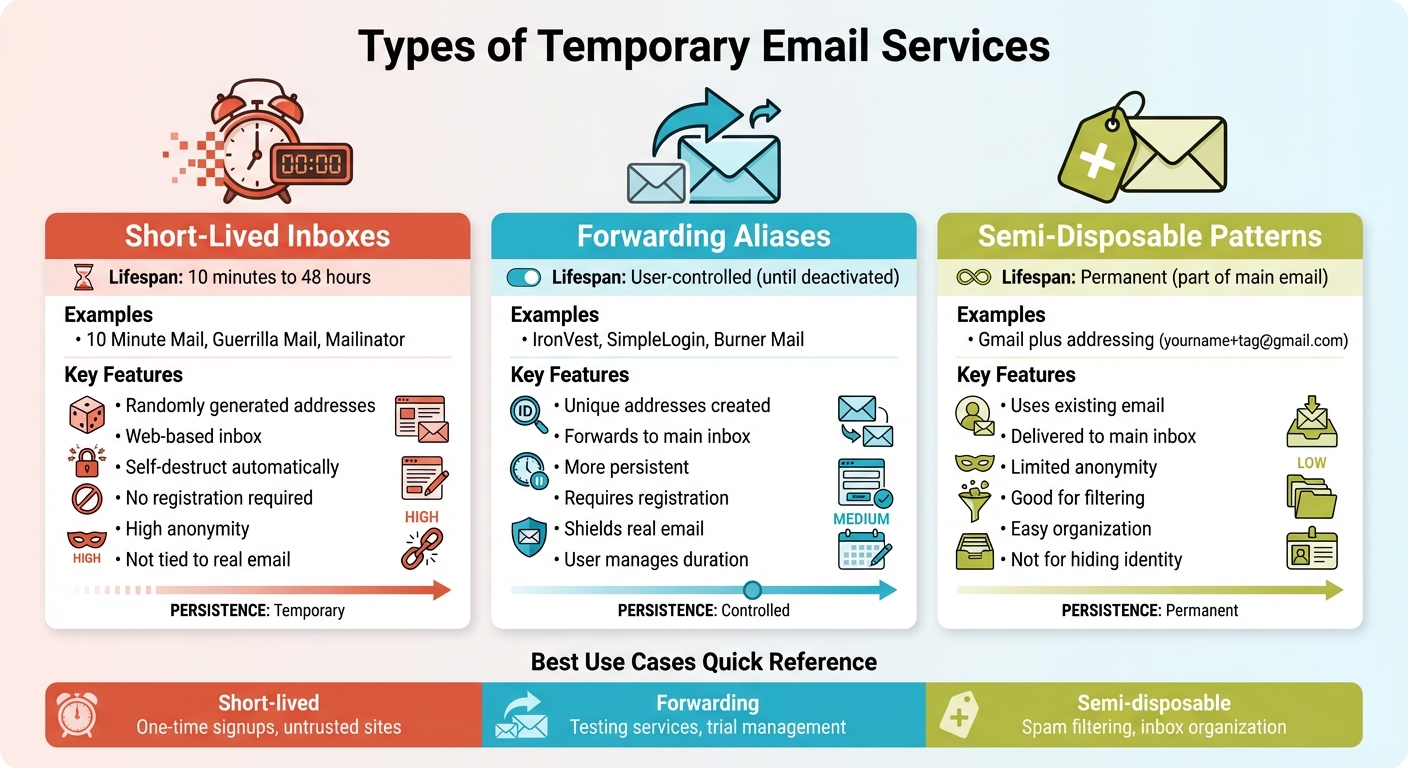
Temporary email services generally fall into three main categories:
- Short-lived inboxes: These services provide randomly generated email addresses with web-based inboxes that self-destruct after a set period, usually between 10 minutes and 48 hours. Popular options like 10 Minute Mail, Guerrilla Mail, and Mailinator fall into this group. They don't require personal information and offer high anonymity since they aren't tied to your real email address.
- Forwarding aliases: These services create unique email addresses that forward messages to your main inbox. Examples include IronVest, SimpleLogin, and Burner Mail. Unlike short-lived inboxes, forwarding aliases are more persistent and user-controlled, lasting until you decide to deactivate them. While they shield your real email from direct exposure, they still deliver mail to your primary inbox and often require registration.
- Semi-disposable patterns: This category includes features like Gmail's plus addressing, where you can append a "+" and a tag to your existing email address. These emails are delivered straight to your main inbox, offering limited anonymity. They work well for organizing and filtering spam but aren't ideal for completely hiding your identity.
Each type serves a specific purpose, and the choice often depends on what you need - whether it's quick anonymity, better inbox organization, or a way to test services without using your real email.
Common Goals of Temporary Email Use
People use temporary email services for a variety of reasons, but three stand out: reducing risk, protecting privacy, and avoiding long-term contact exposure. These services also act as a testing ground for trying out platforms that might send spam or misuse your data.
Another major advantage is keeping your primary inbox clean. Temporary emails are perfect for one-time interactions, like downloading a file, accessing paywalled content, or grabbing a coupon, where you don't need ongoing communication. They're also invaluable for software developers and testers who need to verify email features like user registration, password resets, or notifications without cluttering their real inboxes. On top of that, using unique temporary emails for each service can help identify which platforms share or misuse your data.
How Temporary Email Services Work
How Addresses Are Generated
Temporary email services create one-of-a-kind email addresses on the spot by generating random strings paired with disposable domains. This process happens automatically - no registration required. Simply visiting the service's website or refreshing the page produces a new email address made up of random characters and numbers. These algorithms ensure that the addresses follow standard email formatting rules, and in some cases, you can even pick a custom alias for added personalization. For those who prefer automation, some services offer APIs or browser extensions to generate addresses with a single click.
Take Apple’s Hide My Email, for example. If you’re an iCloud+ subscriber, this feature creates random, unique addresses that forward emails to your primary inbox, keeping your personal email private. Another example is Internxt's Temporary Email, which provides free, anonymous addresses that don’t store personal data - just refresh the page for a new one.
Once generated, these addresses follow a specific lifecycle that determines how long they remain active and how their inboxes function.
Inbox Lifecycle and Expiration
After creation, temporary email addresses operate within clearly defined technical boundaries. These addresses receive emails via SMTP, using MX (Mail Exchange) records to route messages to their temporary inboxes. Users can access these inboxes through a web interface or API. Some services deliver emails to shared mailboxes, while others store messages in databases with a preset Time-To-Live (TTL), after which the emails are automatically deleted.
Different services have varying expiration policies. For instance:
- Temp Mail and 10 Minute Mail self-destruct after 10 minutes, though 10 Minute Mail allows you to extend the timer with a "Give me 10 More Minutes" option.
- ThrowAwayMail keeps addresses active for 48 hours.
- Maildrop deletes inboxes if no email is received within 24 hours.
- YOPmail retains messages for up to 8 days, with an option for manual deletion.
- Guerrilla Mail deletes emails within an hour, but the address itself remains active until you manually remove it.
"After your email address expires, all of your email is deleted, and the address itself stops working a minute later." - 10MinuteMail
Most temporary email services don’t require authentication or passwords to access the inbox. This means that anyone who knows the email address or its URL can view incoming messages. Security measures like encryption are often minimal, and once the retention period ends, all emails and the address itself are permanently erased.
Technical Traits That Enable Detection
The way these services operate leaves behind technical clues, making it possible to identify them. One of the most telling signs is their use of disposable domains, which are often publicly listed and easily cross-referenced with known temporary email providers. Detection methods also focus on analyzing MX records and DNS patterns. Temporary email services often rely on short-lived or shared MX records, show rapid DNS changes, and use less stringent SPF/DKIM authentication compared to established email providers. Additionally, the random character strings in their addresses and the age of their domains often hint at their temporary nature.
These technical traits provide a clear fingerprint, making it easier to distinguish temporary email addresses from regular ones.
sbb-itb-cfbd9fd
Use Cases and Abuse Patterns
Temporary email addresses, while offering privacy and convenience, also present challenges for businesses. Let’s dive into how they’re used legitimately and the issues they can create.
Legitimate Reasons to Use Temporary Emails
Temporary email addresses are a handy tool for protecting privacy and avoiding spam. They’re especially useful for short-term needs like free trials, e-commerce transactions, and casual online interactions. In August 2024, Surfshark shared examples of when temporary emails make sense: signing up for free trials of software or streaming services to dodge marketing emails, using them for e-commerce order confirmations to filter out promotional clutter, or maintaining anonymity when engaging on forums or social media platforms. They’re also a smart choice for accessing potentially unsafe websites or signing up for public Wi-Fi, keeping your primary email safe from spam or phishing attempts.
By November 2025, Privacy International had also weighed in, recommending disposable emails for untrusted online services or one-off purchases. Their advice? "Disposable email addresses protect you from unwanted spam and phishing attempts in your personal email inbox, online tracking, and other forms of data abuse, providing you with a stronger digital self-defense mechanism than if you are giving away your e-mail address to each online service you need to make use of". However, they caution against using them for sensitive accounts like banking or work-related services, where security is critical.
While these uses clearly benefit individuals, they also create headaches for businesses.
How Businesses Are Affected by Abuse
For businesses, temporary emails can be a double-edged sword. Misuse often leads to operational and financial challenges. For instance, bad actors exploit these emails to create fake accounts, bypass bans, and inflate usage metrics. Repeated abuse of free trial offers through disposable addresses can directly impact revenue and undermine promotional campaigns.
Data quality is another casualty. A study conducted between October 2017 and January 2018 revealed that 24.6% of 2.3 million emails from disposable services contained at least one tracking link. This shows how temporary emails can interfere with legitimate email tracking and analytics efforts.
Email deliverability also suffers. High bounce rates and spam complaints tied to disposable addresses can tarnish a sender’s reputation, increasing the risk of being blacklisted by Internet Service Providers or Email Service Providers. As Ella Svensson points out, "Disposable email addresses can be a real challenge for marketers. These emails let users receive them without revealing their actual email addresses. And this can be a problem for businesses aiming to build a solid, engaged subscriber base". Beyond marketing, businesses face difficulties verifying customers for refunds, warranties, or license transfers when disposable emails are used.
Benefits and Drawbacks
| Perspective | Benefits | Drawbacks |
|---|---|---|
| User | Protects privacy, avoids spam, easy setup with no registration, great for testing untrusted services | No access recovery if lost, weak security (no encryption), public accessibility (anyone can read incoming emails), unsuitable for important accounts |
| Business | N/A | Skewed signup data, poor data quality, higher churn and bounce rates, increased fraud risk, trouble verifying legitimate customers, risk of email blacklisting |
| Security | Shields primary email from breaches and tracking | Creates gaps in accountability, aids ban evasion, supports bot activity and platform abuse, complicates compliance audits, increases synthetic identity fraud |
Temporary emails are a useful tool for individuals but come with trade-offs, particularly for businesses and security systems. Balancing privacy and accountability remains a crucial challenge.
How to Detect and Manage Temporary Emails
Why Detection Matters
Temporary email addresses can wreak havoc on your data quality and disrupt effective communication with customers. These emails, which often expire in just a few hours, ensure that critical messages - like password resets or order confirmations - never reach their intended recipients. Beyond communication issues, temporary emails open the door for free trial abuse, fake accounts, and even ban evasion. This not only exposes businesses to fraudulent activity but also leads to unnecessary expenses and operational headaches.
Detection Methods
Relying solely on static blacklists to identify temporary emails isn’t enough - new domains pop up constantly. Instead, businesses need to dig deeper and analyze specific technical indicators:
- Domain-based checks: Look for MX records, domain keywords (e.g., "temporary" or "disposable"), and WHOIS data that suggests recent registration or privacy masking.
- DNS scrutiny: Check for weak or missing SPF, DKIM, and DMARC configurations, which are often red flags.
- Mail server analysis: Investigate IP addresses for shared infrastructure, which is common among disposable email providers.
These methods provide a more dynamic approach to detection, helping businesses stay ahead of the ever-evolving landscape of temporary email domains.
Using TempMailChecker for Detection
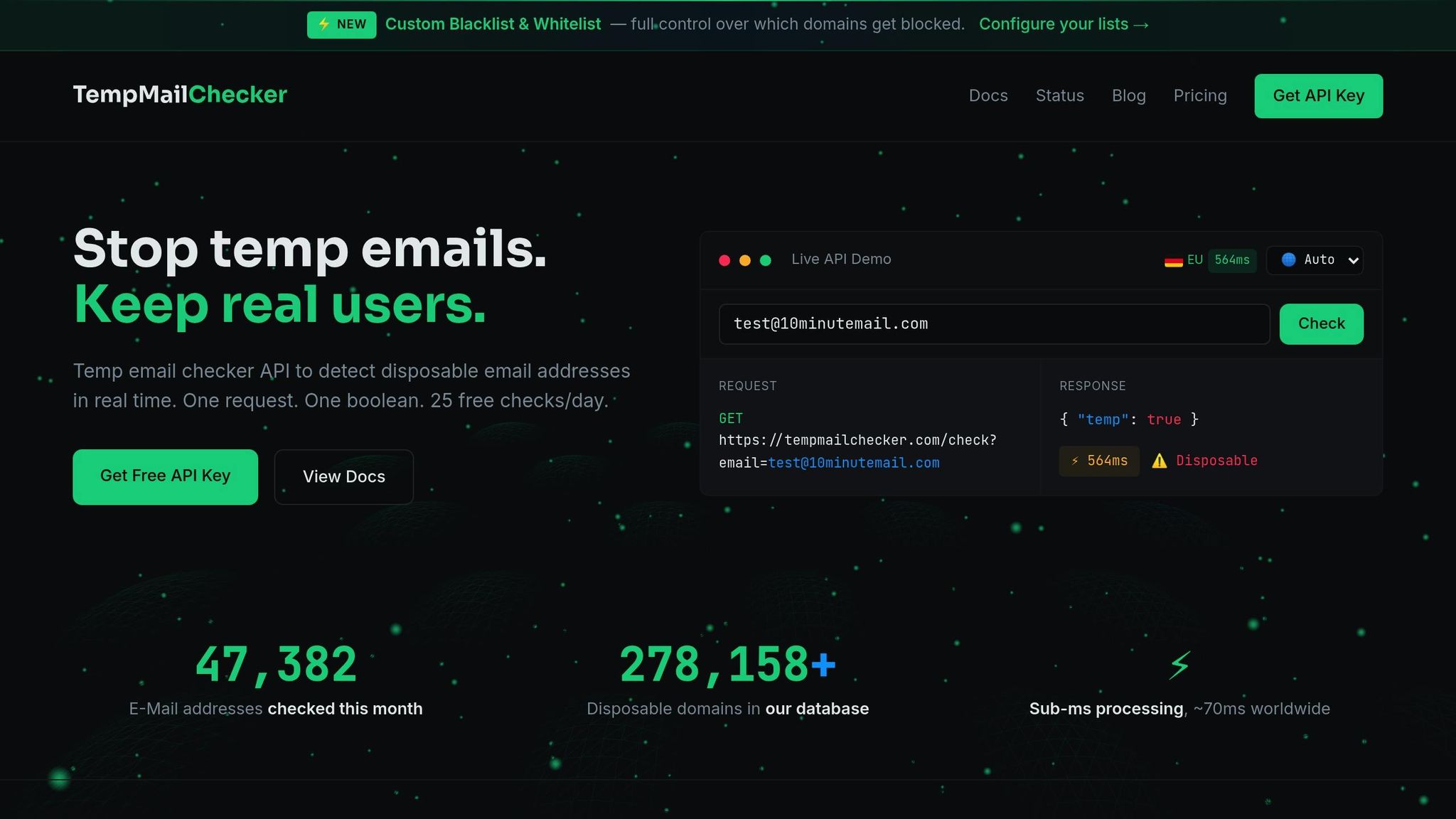
For a practical solution, TempMailChecker simplifies the process of identifying disposable emails. With a REST API, it offers real-time detection by referencing a frequently updated database of over 277,938 disposable domains. The process is straightforward: send an email address to the API, and you’ll get a JSON response confirming whether it’s temporary.
The service is designed for smooth integration into registration forms or sign-up workflows, ensuring fast results without slowing down user experiences. With flexible pricing plans, TempMailChecker caters to businesses of all sizes, from small-scale testing to enterprise-level needs. Plus, regional endpoints ensure low-latency responses no matter where you operate.
Conclusion
Disposable email accounts pose a serious challenge by skewing data accuracy, enabling fraudulent activities, and disrupting meaningful, long-term customer engagement. Shockingly, 60% of all email in the US is sent using disposable addresses, highlighting the scale of the issue.
Addressing this problem effectively requires a shift from reactive cleanup to proactive detection. Static blacklists simply can’t keep up with the constant emergence of new disposable domains. Instead, businesses need dynamic tools capable of analyzing technical markers like DNS configurations, MX records, and domain registration patterns to pinpoint temporary email addresses in real time.
This is where advanced solutions come into play. For instance, TempMailChecker offers a robust database of over 277,938 disposable domains, updated daily. Its REST API seamlessly integrates with signup forms and registration processes, stopping temporary emails at the source and safeguarding the quality of your data.
FAQs
How can businesses address the challenges temporary emails pose to data quality?
To combat the issues posed by temporary email addresses, businesses can implement real-time email verification tools during the sign-up process. These tools quickly identify and block disposable addresses, ensuring only valid emails make it through. Regularly cleaning up email lists is another crucial step. By removing invalid or inactive addresses, companies can keep their data accurate and dependable.
Another effective approach is integrating APIs designed to detect and filter temporary emails. This prevents databases from being filled with fake or low-quality entries. Together, these strategies help businesses maintain clean data, boost email deliverability, and protect their sender reputation.
What security risks should I be aware of when using temporary email addresses?
Temporary email addresses might seem convenient, but they come with notable security concerns. Many of these services create shared or public inboxes, meaning multiple users could potentially access the same account. This significantly raises the risk of unauthorized access. On top of that, these services often skip encryption for both stored messages and data transmission, leaving your information open to interception or hacking attempts.
Because temporary emails are built for short-term use, they typically lack the advanced security features offered by permanent email providers. This leaves users more exposed to data breaches, phishing attacks, and other online threats. To stay safe, it’s best to use temporary email addresses carefully and avoid sending personal or sensitive details through them.
Is it safe to use temporary email addresses for important accounts or services?
Using temporary email addresses for critical accounts or services is a risky move. These addresses are meant for short-term use and don’t provide the security, ownership, or long-term access required for important accounts. Relying on them could mean losing access to your account, missing essential password reset emails, or even putting your account at risk of being compromised.
For anything important, it’s smarter to stick with a permanent email address that you control and can depend on over the long haul.