
How to Identify Disposable Email Domains
Disposable email domains are temporary services designed for short-term use. While they help users avoid spam or protect privacy, they also enable fraud, fake accounts, and scams. Businesses face challenges like high bounce rates, skewed analytics, and financial losses when these emails infiltrate their systems. Detecting these domains is key to maintaining data accuracy and reducing risks.
Key Detection Methods:
- Check DNS MX Records: Disposable domains often share mail server infrastructure.
- Review TXT Records: Missing SPF, DKIM, or DMARC records are common signs.
- Analyze Domain Content: Look for keywords like "temporary" or "anonymous."
- Compare Against Known Lists: Use updated databases or APIs to identify disposable services.
Why It Matters:
Fraudsters exploit disposable emails to bypass verification, abuse promotions, and create untraceable accounts. Real-time detection tools, like TempMailChecker, simplify the process by combining multiple signals and maintaining updated domain lists. This ensures businesses can block fake signups and protect their platforms effectively.
TempMailChecker offers plans starting at $0 for testing and $12/month for production, making it accessible for businesses of all sizes.
How Does Email Validation Detect Temporary Email Addresses? - TheEmailToolbox.com
Common Features of Disposable Email Domains
Disposable email domains have noticeable traits that distinguish them from legitimate providers. Identifying these characteristics can help you spot temporary addresses before they undermine your platform's security.
Short-Term Usage Patterns
Services like 10MinuteMail are designed to self-destruct after just 20 minutes. Others may remain active for weeks, supporting prolonged fraudulent activities. Unlike reputable providers that maintain extensive communication histories, disposable email addresses leave virtually no digital trail - no records of data breaches, no social media connections, and no long-term message logs.
These short lifespans make them ideal for one-time registrations. To stay ahead of static blacklists, some providers even generate thousands of new domains daily.
Shared Servers and Randomized Email Addresses
Disposable email services often share infrastructure. Different domains might rely on the same mail servers (e.g., "powerscrews.com" using "in.mail.tm" as its MX host). Even when unique MX records are used, they frequently point to the same IP addresses hosted on popular cloud platforms.
The email addresses themselves are often randomized and machine-generated. Instead of familiar formats, you’ll see strings like "gwyneth66cefa@" - a deliberate design to evade tracking and enable automated mass account creation without tripping rate limits imposed by established providers.
Missing Email Authentication Records
Disposable domains usually skip critical email security configurations, such as SPF, DKIM, and DMARC records. These services are primarily designed to receive messages - like verification codes, password resets, or promotional emails - so they rarely need outbound mail capabilities. As Antoine Vastel, Research Lead at Castle.io, notes:
In contrast, many disposable domains don't publish SPF at all. They don't need to send emails to real users, so they skip this step entirely.
The lack of SPF, DKIM, and DMARC records serves as a helpful indicator. When combined with other signals - like recent WHOIS registration dates and shared mail server infrastructure - missing authentication records often point to disposable email services.
Understanding these features lays the groundwork for detecting and mitigating the risks posed by temporary email domains.
How to Detect Disposable Email Domains
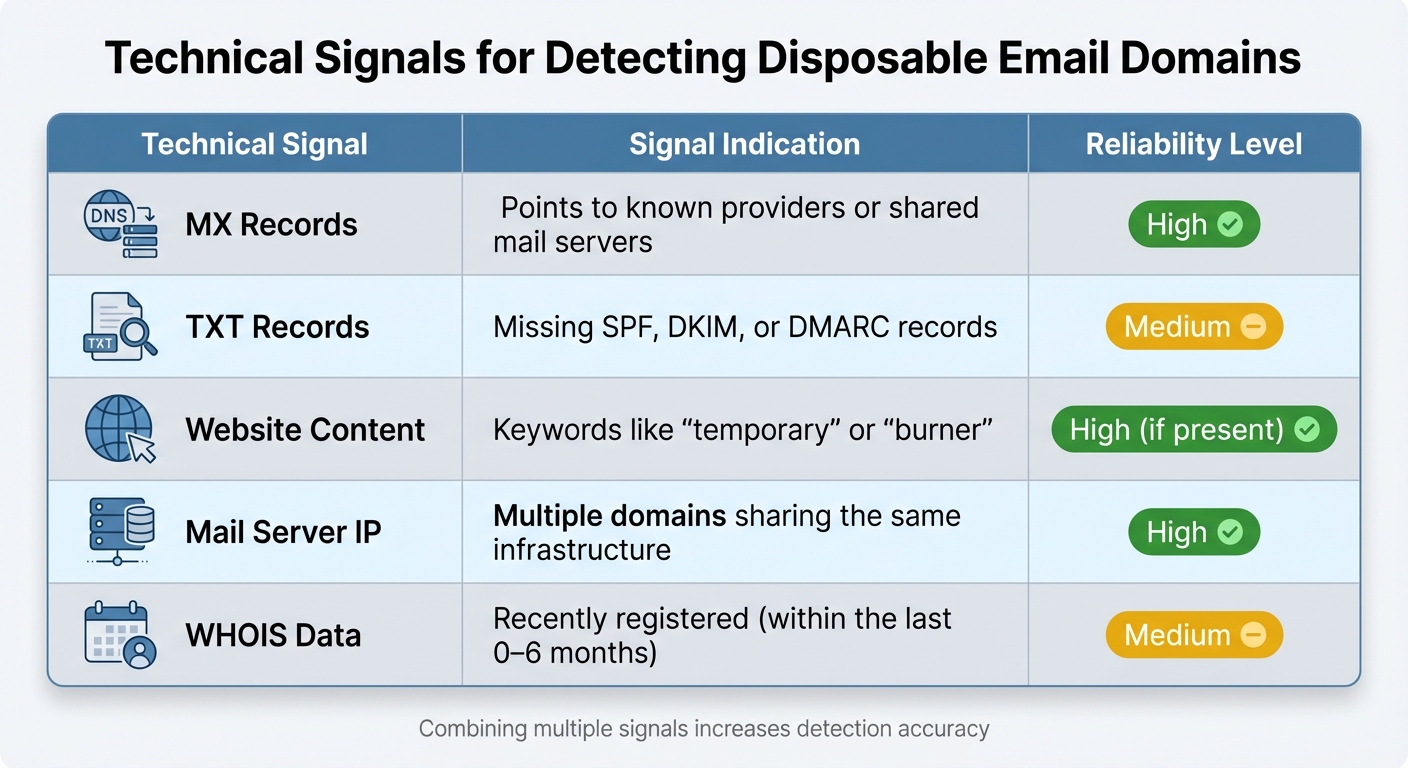
Technical Signals for Detecting Disposable Email Domains
Identifying disposable email domains effectively requires combining multiple detection methods. Instead of relying on a single indicator, the best approach integrates several signals for a more accurate outcome. As Antoine Vastel, Head of Research at Castle, puts it:
The goal isn't to achieve perfect precision from one signal - but to combine many weak signals into a high-confidence decision.
Here’s how these methods work together to spot disposable domains.
Check DNS MX Records
Examining a domain's MX (Mail Exchange) records can reveal which mail servers handle its incoming messages. By resolving the MX records to their IP addresses, you can identify clusters of disposable domains. For example, domains like powerscrews.com and tempmail.lol often share the same host infrastructure, signaling they belong to disposable email services.
This clustering approach is particularly useful for spotting new disposable domains that haven’t yet been added to public blacklists.
Review Domain Websites and TXT Records
Visiting a domain’s website can quickly shed light on its purpose. Many disposable email providers openly advertise their services with phrases like “temporary,” “disposable,” “public inbox,” or “anonymous email”. A simple GET request to the domain can help uncover these keywords.
Another useful check is examining TXT records, which often contain authentication details. Legitimate business domains typically include SPF, DKIM, and DMARC records to validate outgoing emails. Disposable domains, on the other hand, usually skip these configurations since they’re designed only to receive emails, not send them. You can use a command like dig TXT <domain> to inspect these records. While the absence of SPF alone doesn’t confirm a domain is disposable, it’s a helpful clue when combined with other factors like recent WHOIS registration dates or shared mail server infrastructure.
Compare Against Known Disposable Domain Lists
A straightforward method involves comparing email domains against databases of known disposable email providers. Keeping this database updated in real time is crucial to stay ahead of newly emerging domains.
To implement this, extract the domain from the user’s email address (everything after the “@” symbol) and cross-reference it with a REST API that maintains an updated database. This can be combined with other signals for improved accuracy. However, static lists have limitations. New disposable domains pop up daily, and some "hyper-disposable" domains may only exist for a few hours before being replaced. As Email Hippo explains:
Disposable email address detection is challenging, as new temporary email domains emerge frequently. A disposable email domain database is a continuously updated list of known temporary email providers.
For the best results, rely on a REST API that updates automatically, ensuring you catch even the most recently created disposable domains.
| Technical Signal | Signal Indication | Reliability Level |
|---|---|---|
| MX Records | Points to known providers or shared mail servers | High |
| TXT Records | Missing SPF, DKIM, or DMARC records | Medium |
| Website Content | Keywords like "temporary" or "burner" | High (if present) |
| Mail Server IP | Multiple domains sharing the same infrastructure | High |
| WHOIS Data | Recently registered (within the last 0–6 months) | Medium |
sbb-itb-cfbd9fd
Using TempMailChecker for Real-Time Detection
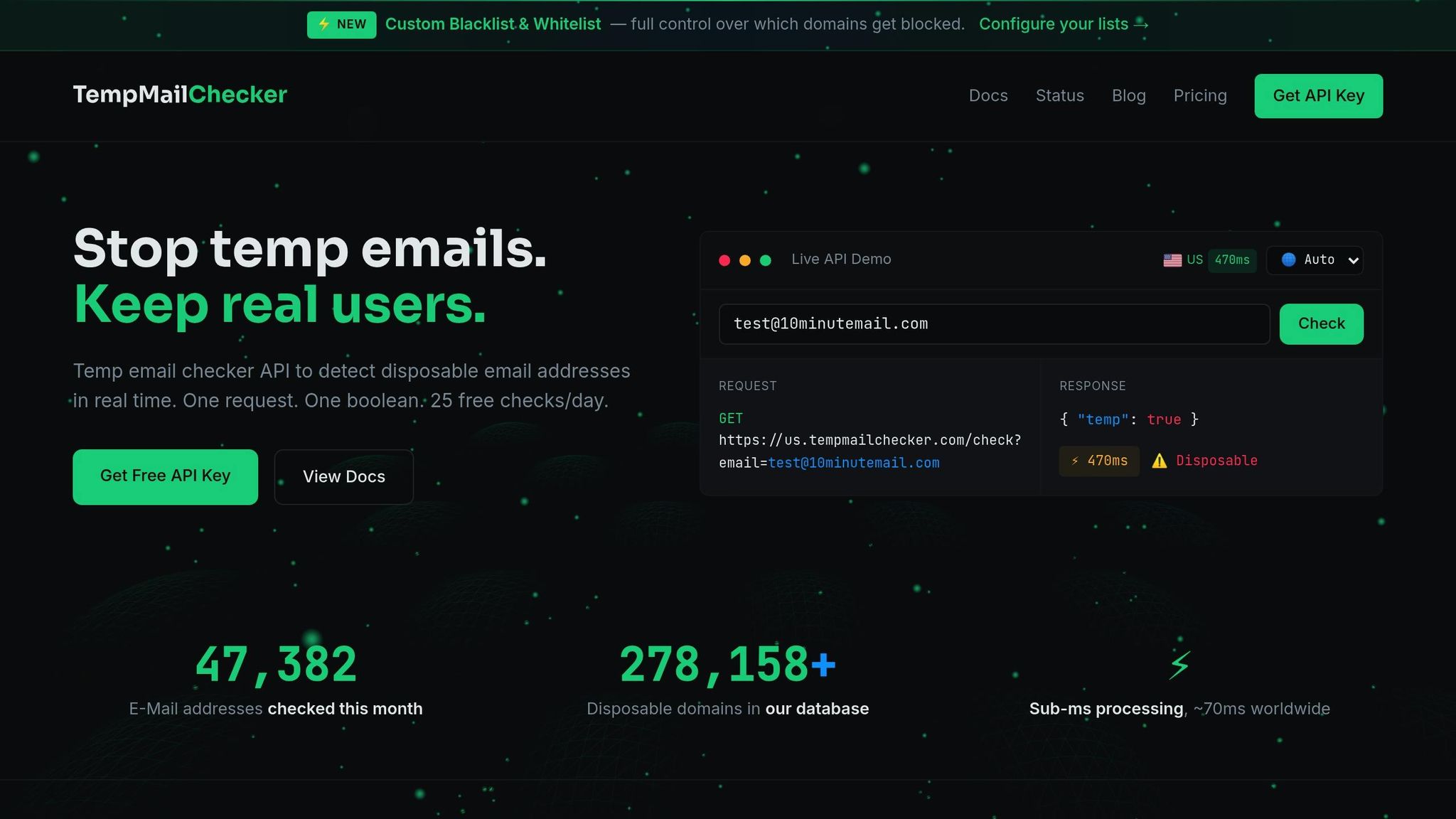
Implementing disposable email detection from scratch can be a daunting task, requiring significant time and effort to develop and maintain. TempMailChecker simplifies this process by offering real-time identification of temporary emails. It handles database updates and validations automatically, allowing you to focus on your core application. Here's a closer look at what makes TempMailChecker stand out.
TempMailChecker API Features
TempMailChecker delivers lightning-fast performance, processing requests in sub-millisecond times to validate emails during user sign-ups. Its database includes over 277,938 disposable domains, updated daily to catch newly created temporary email providers. This is particularly useful for staying ahead of attackers who frequently register new domains and subdomains to bypass detection.
The API combines several detection techniques, including database lookups, MX record analysis, and DNS heuristics, into a single, streamlined response. For example, when you submit an email address, the system checks it against known disposable domains and evaluates if the domain uses shared infrastructure often associated with temporary email services (like in.mail.tm).
How to Integrate TempMailChecker API
Integrating TempMailChecker into your system is straightforward. Start by signing up at https://tempmailchecker.com to get your API key. Once you have the key, you can send a RESTful GET request with the email address you want to validate. You can include your API key either in the request headers (X-Api-Key) or as a URL parameter.
The API responds with a JSON object that includes fields like is_disposable (true/false), along with additional metadata about the domain. This makes it easy to incorporate the validation into your sign-up forms, account creation workflows, or broader email verification processes. To ensure low latency and fast responses, the service also provides regional endpoints tailored to users' locations.
TempMailChecker Pricing Plans
TempMailChecker offers flexible pricing plans to suit various needs. Here's a breakdown:
| Plan | Price | Monthly Requests | Key Features |
|---|---|---|---|
| Free | $0 | 25/day | Full API access, regional endpoints, great for testing |
| Starter | $12/mo | 3,000 | No daily limits, priority API routing, email support |
| Growth | $29/mo | 15,000 | Higher burst limits, priority support, ideal for SaaS |
| Scale | $69/mo | 60,000 | Dedicated throughput, Slack support, perfect for e-commerce |
| Enterprise | Custom | 250,000+ | SLA guarantees, dedicated account manager, compliance support |
The Free plan is perfect for testing and development, offering 25 requests per day. For production use, the Starter plan at $12/month is a popular choice, removing daily limits and providing priority routing. The Growth plan ($29/month) is tailored for SaaS platforms managing moderate traffic, while the Scale plan ($69/month) is ideal for high-demand industries like e-commerce. For businesses with large-scale needs or specific compliance requirements, the Enterprise plan offers custom solutions, including SLA guarantees and dedicated support.
TempMailChecker's range of plans ensures there's an option for every use case, from small-scale testing to enterprise-level operations.
Conclusion
When it comes to reducing fake signups, relying on static lists of disposable email domains just doesn’t cut it anymore. The most effective approach combines a variety of signals, including infrastructure-level indicators like MX records pointing to shared servers, missing SPF, DKIM, and DMARC authentication, and recently registered WHOIS data. Pairing these signals with real-time verification at the point of entry helps create a robust defense against temporary email addresses.
Static blocklists often fall behind the rapidly evolving nature of disposable domains. These domains are designed to exploit the reactive nature of traditional systems, making it crucial to dig deeper. For example, analyzing whether multiple unrelated domains resolve to the same mail server IP or lack standard authentication records can help uncover throwaway services, even as they cycle through new domain names.
Real-time API verification simplifies this process for businesses. Tools like TempMailChecker automate database updates and analyze signals to quickly detect over 277,938 disposable domains. With DNS heuristics and flexible pricing - starting at $0 for testing and $12 per month for production - this solution is accessible to businesses of all sizes, offering an easy way to block fake signups without the hassle of building a system from scratch.
FAQs
What risks do disposable email domains pose to businesses?
Using disposable email domains can create a host of problems for businesses. For starters, they often result in low engagement rates and high bounce rates, making your email campaigns less effective. These addresses are frequently used for fake sign-ups, which can inflate your user numbers with bogus accounts and skew important metrics.
On top of that, disposable emails can damage your sender reputation, drive up marketing expenses, and even enable issues like account abuse or spam. Over time, this weakens your business's security, compromises the reliability of your data, and diminishes the impact of your email marketing efforts.
How do I integrate TempMailChecker's API into my system?
To use TempMailChecker's API, you’ll need to send HTTP requests to its endpoint, including your API key. The API responds with a JSON output, enabling you to identify disposable email addresses instantly. With its lightning-fast processing speed, it allows you to validate emails in real-time and integrate the results directly into your signup or verification processes.
Once set up, the API can automatically flag temporary email addresses, helping you cut down on spam, block fake accounts, and minimize fraudulent activity with ease.
Why don’t disposable email domains usually have SPF, DKIM, or DMARC records?
Disposable email domains often skip implementing SPF, DKIM, and DMARC records. Why? Because these domains are built for short-term use and maintaining anonymity, not long-term reliability.
The providers behind these domains usually focus on quick and low-cost setups, often relying on shared infrastructures. As a result, they don’t prioritize proper email authentication standards. While this makes it convenient to create temporary addresses, the lack of robust DNS configurations like SPF, DKIM, or DMARC leaves these domains less secure and more susceptible to misuse.