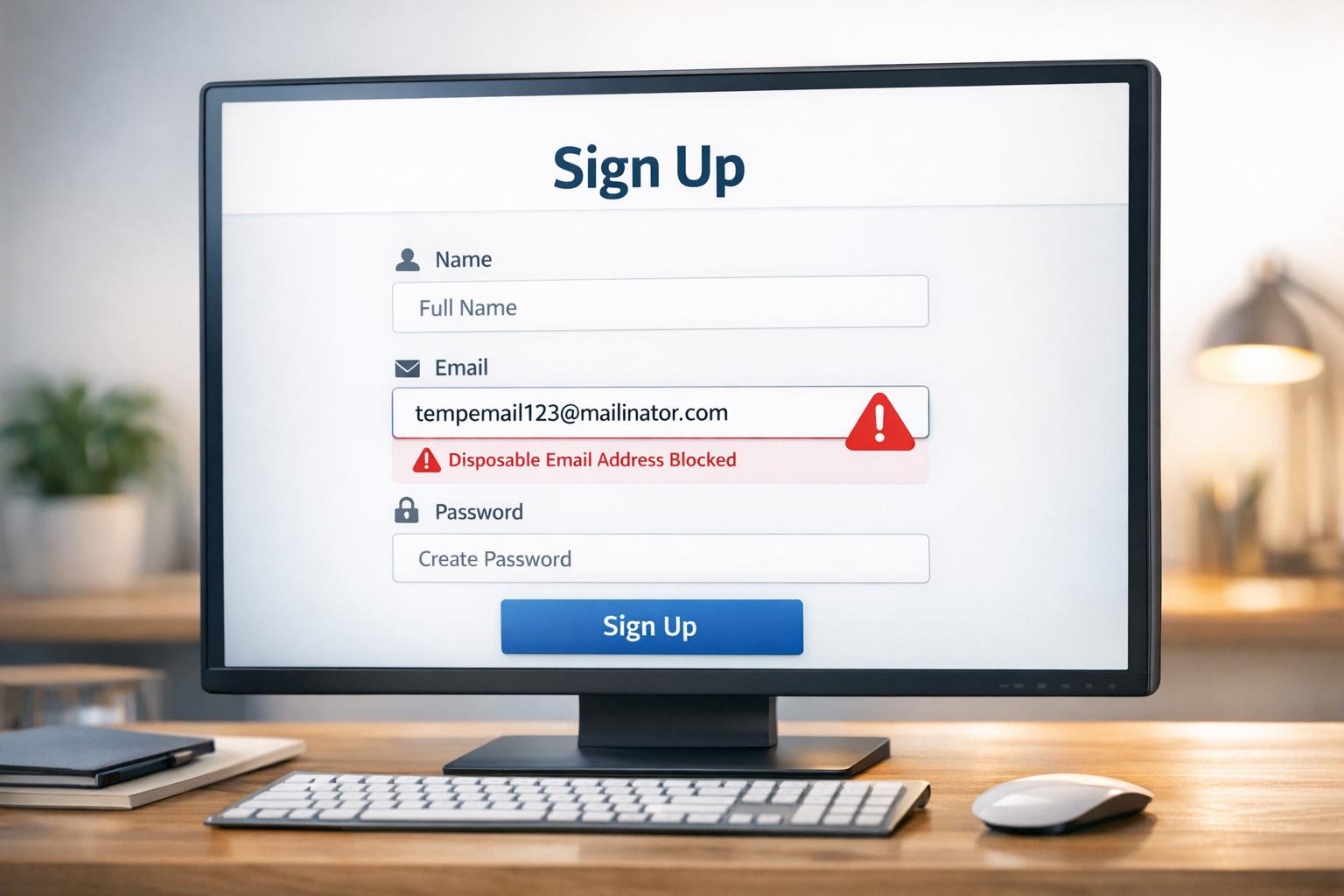
How to Block Disposable Emails in Signup Forms
Every day, people use disposable email addresses like Mailinator or Temp-Mail to bypass signups, avoid spam, or exploit free trials. While convenient for users, these temporary emails harm businesses by inflating costs, damaging sender reputations, and enabling fake signups. Here's how to stop them:
- Use Real-Time Validation APIs: Tools like TempMailChecker instantly flag disposable emails from a database of over 277,000 domains. They integrate easily with platforms like JavaScript, Python, or PHP.
- Create JavaScript Blocklists: Maintain a list of known disposable domains for client-side validation, although this requires frequent updates and can be bypassed.
- Platform-Specific Solutions: For WordPress, Shopify, and others, use plugins or custom scripts to block temporary emails during registration.
For long-term success, combine these methods with additional layers like CAPTCHA, double opt-in, and regular database cleaning. Blocking disposable emails ensures cleaner user data and reduces abuse.
Method 1: Using TempMailChecker API for Real-Time Validation
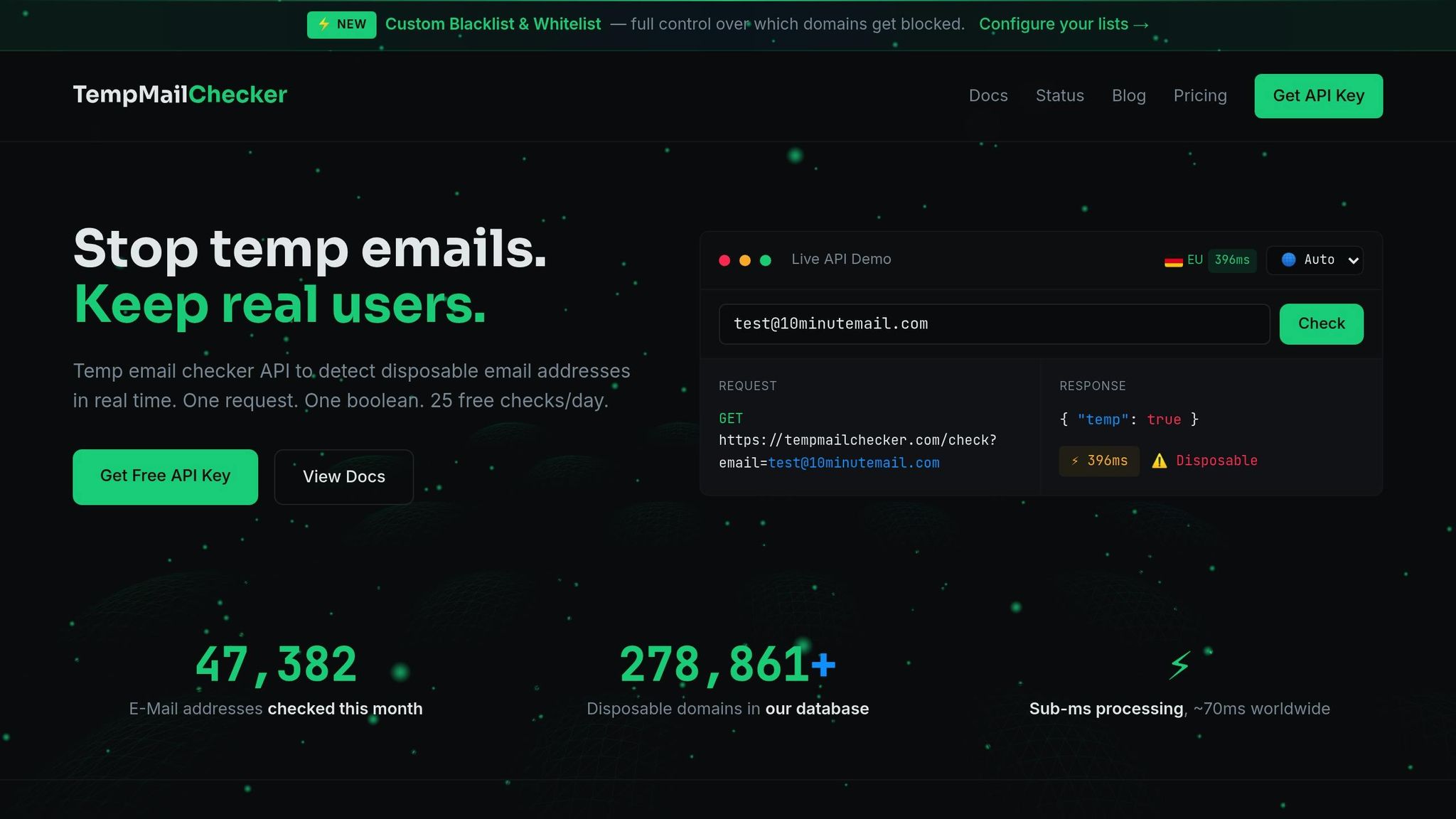
What You Need Before Starting
To get started, you'll need a TempMailChecker API key. The free tier allows up to 25 requests per day, and no credit card is required for testing. Make sure you’re comfortable running server- or client-side scripts (like JavaScript, Python, or PHP) and processing JSON responses.
For the best performance, choose the regional endpoint closest to you - options include US, EU, or Asia. This helps maintain a latency of around 70ms. The available endpoints are:
- US:
us.tempmailchecker.com - EU:
eu.tempmailchecker.com - Asia:
asia.tempmailchecker.com
How to Integrate the API Step-by-Step
-
Sign Up for an API Key
Head over to tempmailchecker.com and create an account to receive your API key. -
Send a GET Request
Use the/api/checkendpoint to validate email addresses. Include your API key in theX-API-Keyheader or as anaccess_tokenquery parameter if needed.
Here’s a JavaScript example using Node.js or Next.js:
const res = await fetch(
  "https://us.tempmailchecker.com/api/check?email=user@mailinator.com",
  { headers: { "X-API-Key": YOUR_API_KEY } }
);
const data = await res.json();

if (data.temp) {
  return res.status(400).json({ error: "Disposable email not allowed" });
}
And for Python:
import requests

r = requests.get(
    "https://eu.tempmailchecker.com/api/check",
    params={"email": "user@example.com"},
    headers={"X-API-Key": YOUR_API_KEY}
)

if r.json().get("temp"):
    raise Exception("Disposable email not allowed")
Pro Tip: In production, always wrap the API call in a try-catch block to handle errors gracefully. If the API fails, log the error but allow the signup to avoid blocking legitimate users.
By validating emails before account creation, you can prevent fake signups at the source. Once you're set up, you can also explore building a custom JavaScript blocklist for disposable emails.
Why Use TempMailChecker API
Real-time email validation is essential for keeping your user data clean, and TempMailChecker’s API is built for this purpose. With a database of over 277,938 disposable domains that updates daily, you can trust its accuracy. The API processes requests internally in under 1ms, with an average latency of around 70ms when using regional endpoints. This ensures it doesn’t slow down your signup forms.
The API also catches disposable email patterns that regular expressions simply can’t. As Tobias Jansen explains:
Disposable email domains don't follow patterns. Regex cannot catch them.
Since new disposable domains are constantly being created, maintaining a manual blocklist is nearly impossible. TempMailChecker’s daily updates keep you ahead of the curve.
| Feature | Specification |
|---|---|
| Database Size | 277,938+ domains |
| Internal Latency | < 1ms |
| Network Latency | ~70ms (Global) |
| Update Cycle | Daily |
| Authentication | API Key (Header/Query) |
| Primary Regions | US, EU, Asia |
For PHP developers, integration is even easier with the official SDK. Install it using Composer:
composer require tempmailchecker/php-sdk
This SDK requires PHP 7.4 or newer and simplifies the process of adding real-time email validation to your project. Whether you're managing waitlists, coupon forms, or newsletter subscriptions, this API helps prevent abuse and keeps your data clean.
Blocking disposable email domains from signing up to your Rails app
Method 2: Building a Custom JavaScript Blocklist
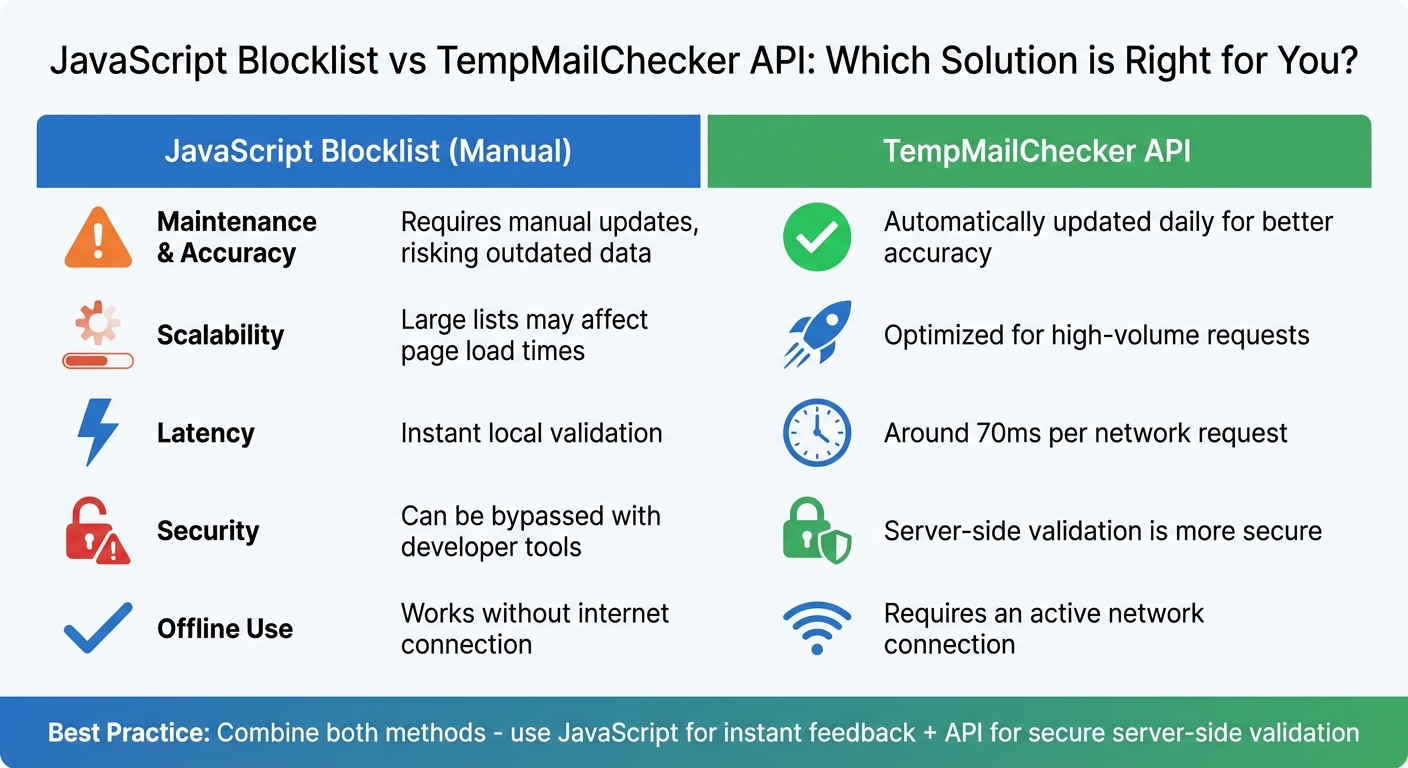
JavaScript Blocklist vs TempMailChecker API Comparison
Getting Updated Domain Lists from TempMailChecker
To create a client-side JavaScript blocklist, start by obtaining a reliable domain list. TempMailChecker offers a database of over 277,000 disposable email domains, updated daily. You can use their API to keep your server cache current if needed.
Once you have the updated domain list, you can implement client-side validation to provide users with real-time feedback during form submissions.
Creating a JavaScript Function to Validate Email Domains
With your domain list in hand, you can write a JavaScript function to validate email addresses by comparing their domains against your blocklist. Here's an example:
const disposableDomains = new Set([
  'mailinator.com',
  'guerrillamail.com',
  'temp-mail.org',
  '10minutemail.com',
  // Add more domains as needed
]);

function validateEmail(email) {
  const domain = email.split('@').pop().toLowerCase();

  if (disposableDomains.has(domain)) {
    return { valid: false, error: 'Disposable email addresses are not allowed' };
  }

  return { valid: true };
}

// Validate the email on form submission
document.getElementById('signupForm').addEventListener('submit', (e) => {
  const emailInput = document.getElementById('email');
  const result = validateEmail(emailInput.value);

  if (!result.valid) {
    e.preventDefault();
    alert(result.error);
  }
});
Performance tip: Using a Set for storing domains ensures faster lookups compared to an Array. To enhance user experience, consider triggering validation on the blur event of the email input field. This approach provides instant feedback without waiting for form submission.
For a more secure solution, you can combine this method with server-side validation to ensure comprehensive protection.
JavaScript Blocklist vs. TempMailChecker API
Here’s a quick comparison of using a manual JavaScript blocklist versus the TempMailChecker API:
| Feature | JavaScript Blocklist (Manual) | TempMailChecker API |
|---|---|---|
| Maintenance & Accuracy | Requires manual updates, risking outdated data | Automatically updated daily for better accuracy |
| Scalability | Large lists may affect page load times | Optimized for high-volume requests |
| Latency | Instant local validation | Around 70ms per network request |
| Security | Can be bypassed with developer tools | Server-side validation is more secure |
| Offline Use | Works without internet connection | Requires an active network connection |
While a JavaScript blocklist offers quick, offline validation, it has a critical weakness: client-side checks can be bypassed by users with access to browser developer tools. For production environments, always pair client-side validation with server-side checks using the TempMailChecker API. This dual approach strengthens your signup process and effectively reduces abuse from disposable email accounts.
sbb-itb-cfbd9fd
Method 3: Setting Up Platform-Specific Solutions
WordPress Integration Example

To prevent disposable email registrations on WordPress, you can use the TempMailChecker PHP SDK. First, install it via Composer with the command: composer require tempmailchecker/php-sdk. Then, implement the following code in your functions.php file or within a custom plugin:
use TempMailChecker\TempMailChecker;

add_filter('registration_errors', function($errors, $sanitized_user_login, $user_email) {
    try {
        $checker = new TempMailChecker(get_option('tempmailchecker_api_key'));
        if ($checker->isDisposable($user_email)) {
            $errors->add('disposable_email', 'Disposable email addresses are not allowed.');
        }
    } catch (Exception $e) {
        error_log('TempMailChecker error: ' . $e->getMessage());
    }
    return $errors;
}, 10, 3);
This code uses a fail-open approach, meaning that if the API fails, legitimate registrations will still go through while errors are logged for troubleshooting. For websites hosted in the U.S., you can reduce latency to about 70ms by initializing the checker with TempMailChecker::ENDPOINT_US.
The same logic can be adapted for other platforms.
Integration for Other Platforms
Platforms like Shopify and Wix also allow for custom validation to block disposable emails. You can intercept form submissions by following these steps:
- Send the email to a regional endpoint, such as
https://us.tempmailchecker.com/api/check?email=user@example.com. - Include your
X-API-Keyin the request headers. - Parse the JSON response. If the response indicates a disposable email (e.g.,
if data.temp === true), prevent the form submission usingevent.preventDefault()and display an error message.
"Validate before creating the account → block at the source." – Tobias Jansen
This approach works for any platform that supports HTTP requests. Just like in the WordPress example, it’s wise to use a fail-open strategy to ensure legitimate users aren’t unnecessarily blocked.
Best Practices for Blocking Disposable Emails
Protecting your signup forms and maintaining clean user data requires a proactive approach. Here’s how to tackle disposable emails effectively.
How to Clean Your Existing User Lists
Your current user database might already include disposable emails that were flagged after registration. To address this, export your user list as a CSV file and use tools like TempMailChecker to bulk-validate these addresses. Make it a habit to clean your database every six months. This includes removing invalid or expired disposable emails, identifying duplicate accounts, and isolating users who haven’t engaged with your emails in the past six months. Often, these inactive accounts are tied to temporary emails that no longer exist.
Once your database is cleaned, reinforce your defenses with additional security layers.
Using Multiple Security Layers
Relying on disposable email detection alone isn’t enough. Strengthen your system with double opt-in verification, where users confirm their email by clicking a link sent to their inbox. This ensures the email address is valid and accessible.
To block automated signups that often use disposable emails, add CAPTCHA or honeypot fields - hidden form fields that bots are likely to fill out. Implement rate limiting to restrict how many signup attempts an individual IP address can make within a short period. For accounts flagged as high-risk, consider using phone verification instead of outright blocking them. This multi-layered approach helps minimize spam and fraudulent activity.
But even with these measures, keeping your blocklists updated is critical.
Keeping Your Blocklists Current
Disposable email providers pop up constantly, making static blocklists outdated within weeks. GitHub-based lists, for example, are updated only every few weeks and often lack professional oversight. DIY blocklists require constant maintenance, which can quickly become overwhelming.
For a more efficient solution, use real-time API validation. These services provide continuous protection with 99.99% uptime and low latency (around 70ms), tracking new disposable domains as they emerge. Pairing real-time API checks with your custom blocklists ensures robust protection. Additionally, monitor your API usage and track bounce rates from new signups to identify potential vulnerabilities in your system early.
Conclusion and Key Takeaways
Protect your signup forms by blocking disposable emails. The three strategies outlined - real-time API validation, custom JavaScript blocklists, and platform-specific integrations - cater to different requirements, but API-based detection stands out as the most reliable solution. With TempMailChecker's daily-updated database, you get strong protection without the hassle of maintaining manual lists.
Make sure to implement these strategies across all your signup channels. Validate emails before they enter your system. Use the API for signups, waitlists, newsletters, and coupon forms, and pair it with IP rate limiting to strengthen your defenses. These efforts build on earlier methods, creating a comprehensive spam prevention framework.
To maintain security over time, keep these practices active. Run bulk email validation every six months to weed out expired temporary addresses. Opt for regional API endpoints (US, EU, or Asia) to reduce latency, and implement a "fail open" setup to ensure legitimate users aren’t mistakenly blocked during API downtime.
FAQs
How do I keep my blocklist updated with the latest disposable email domains?
To keep your blocklist accurate and up-to-date, consider using TempMailChecker’s real-time API instead of relying on a static list. This API automatically checks email addresses against a constantly updated database of disposable domains, saving you the hassle of managing outdated information.
For smooth integration, simply call the API whenever a user submits an email address. This approach eliminates the need for maintaining a local list and ensures every check leverages the most recent data. If you decide to cache results for performance reasons, keep the cache duration short - around 5 minutes - to ensure accuracy. Additionally, testing the API regularly with new disposable domains can help confirm that your setup is functioning as expected.
By using TempMailChecker’s dynamic database, you can effectively prevent fake signups and safeguard your platform from spam and fraudulent activity.
Why is using the TempMailChecker API better than relying on a manual JavaScript blocklist?
The TempMailChecker API provides real-time detection of disposable email addresses, making it easy to block fake signups instantly. Unlike using a manual JavaScript blocklist - which can quickly become outdated and add unnecessary bulk to your client-side code - this API works on the server side. This setup ensures you’re always working with an up-to-date database of over 277,000 disposable domains, without the need for constant maintenance or manual updates.
Integration is straightforward, thanks to ready-to-use SDKs for various programming languages. With just a single API call, you get a clear result, allowing you to simplify your signup process while keeping your application secure and lightweight. These features make the TempMailChecker API a dependable and hassle-free alternative to manual approaches.
What should I do if the TempMailChecker API is temporarily unavailable?
If the TempMailChecker API goes down, you can still maintain a smooth user experience by having a fallback plan in place. Start by treating failed API calls or timeout errors as an "unknown" result and let users proceed with signing up. This way, legitimate users won’t be unfairly blocked due to temporary technical issues.
Make sure to log important details like the email address, timestamp, and error specifics for future reference. Once the API is back online, you can recheck these entries asynchronously. If any emails are confirmed to be disposable, you can take necessary actions, such as flagging or deactivating the associated accounts.
You might also want to keep a cached list of disposable domains from TempMailChecker. With this, you can quickly check domains during downtime, catching many throwaway emails while keeping the process seamless for genuine users.