Blocking Disposable Emails: Best Practices for 2026
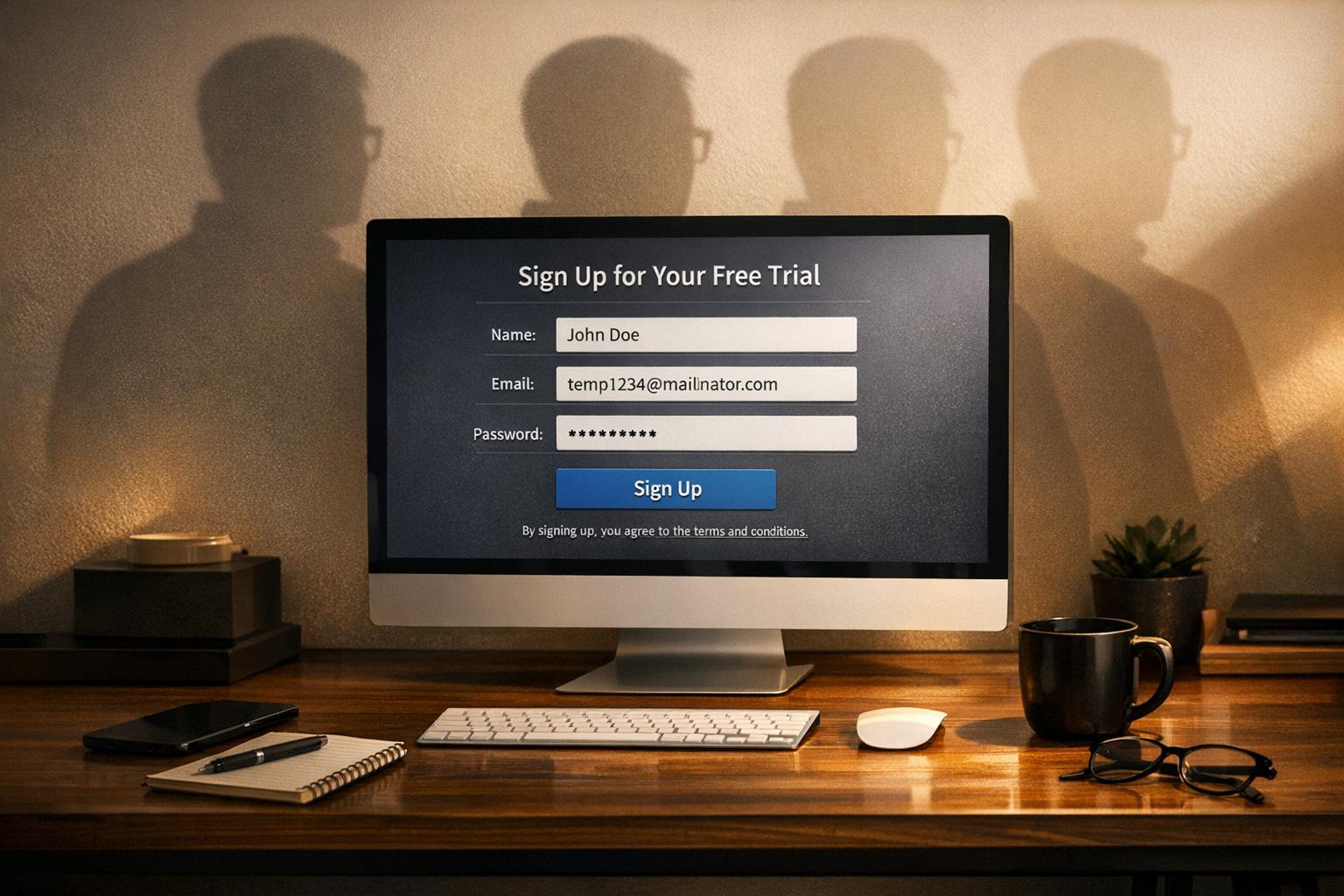
Disposable email addresses are costing businesses money and damaging email reputation. These temporary accounts are often used to exploit free trials, discounts, and promotions, leading to lost revenue, skewed metrics, and higher bounce rates. In 2026, over 70% of AI companies report daily abuse from disposable emails, with fraud cases like a single user draining $220 in GPU credits in just one hour.
Key Steps to Stop Disposable Emails:
- Use Real-Time API Detection: Block fake signups instantly by validating email addresses during registration.
- Update Blacklists Regularly: Automate updates to keep up with new disposable domains.
- Require Double Opt-In: Ensure users confirm their email to complete registration.
- Leverage Tools like TempMailChecker: Detect disposable emails in milliseconds with a database of 277,938+ domains.
- Handle Privacy Relay Domains Separately: Monitor engagement but avoid blocking privacy-conscious users outright.
Why It Matters:
- Bounce Rates: Disposable emails inflate bounce rates, harming sender reputation.
- Fraud Prevention: Disposable domains correlate with 95% of fraud cases.
- Cost Savings: Reduce trial abuse and operational costs by ensuring real users sign up.
By combining these strategies with regular email list cleaning and tracking key metrics like bounce rates and signup patterns, businesses can minimize fraud, protect their revenue, and maintain accurate email performance data.
What Are Disposable Email Addresses And How Do They Work? - TheEmailToolbox.com
Best Practices for Blocking Disposable Emails in 2026
Blocking disposable emails effectively requires real-time tools, updated databases, and thorough user verification to prevent fraud while ensuring legitimate users aren't inconvenienced. Here’s how you can stay ahead in 2026.
Use Real-Time API Detection at Signup
Stop fake signups right from the start by incorporating real-time API checks into your registration process. These APIs validate email syntax, check MX records, and assess SMTP status instantly. If a disposable email is flagged, prompt the user to provide a permanent address immediately. This proactive step helps prevent fraudulent accounts before they even begin.
Keep Your Disposable Domain Blacklist Updated
Disposable email services evolve constantly, making static blocklists unreliable. Instead, rely on API-driven automation that updates your blacklist with new disposable domains as they emerge. This dynamic approach ensures your defenses stay current.
By monitoring unusual email activity and maintaining an updated blacklist, you can reduce disposable signups by as much as 25%. Regular script updates and automated processes are key to staying ahead of these ever-changing services.
Require Double Opt-In for Promotions
Double opt-in is a simple but effective way to verify users. It works by sending a confirmation link to the provided email address, which the user must click to complete their registration. If the email is temporary and expires before the link is clicked, the registration fails.
This method is particularly useful for protecting promotions, free trials, and discount programs. It ensures only legitimate users gain access while keeping your email list free of temporary addresses.
Integrate TempMailChecker for Fast Validation
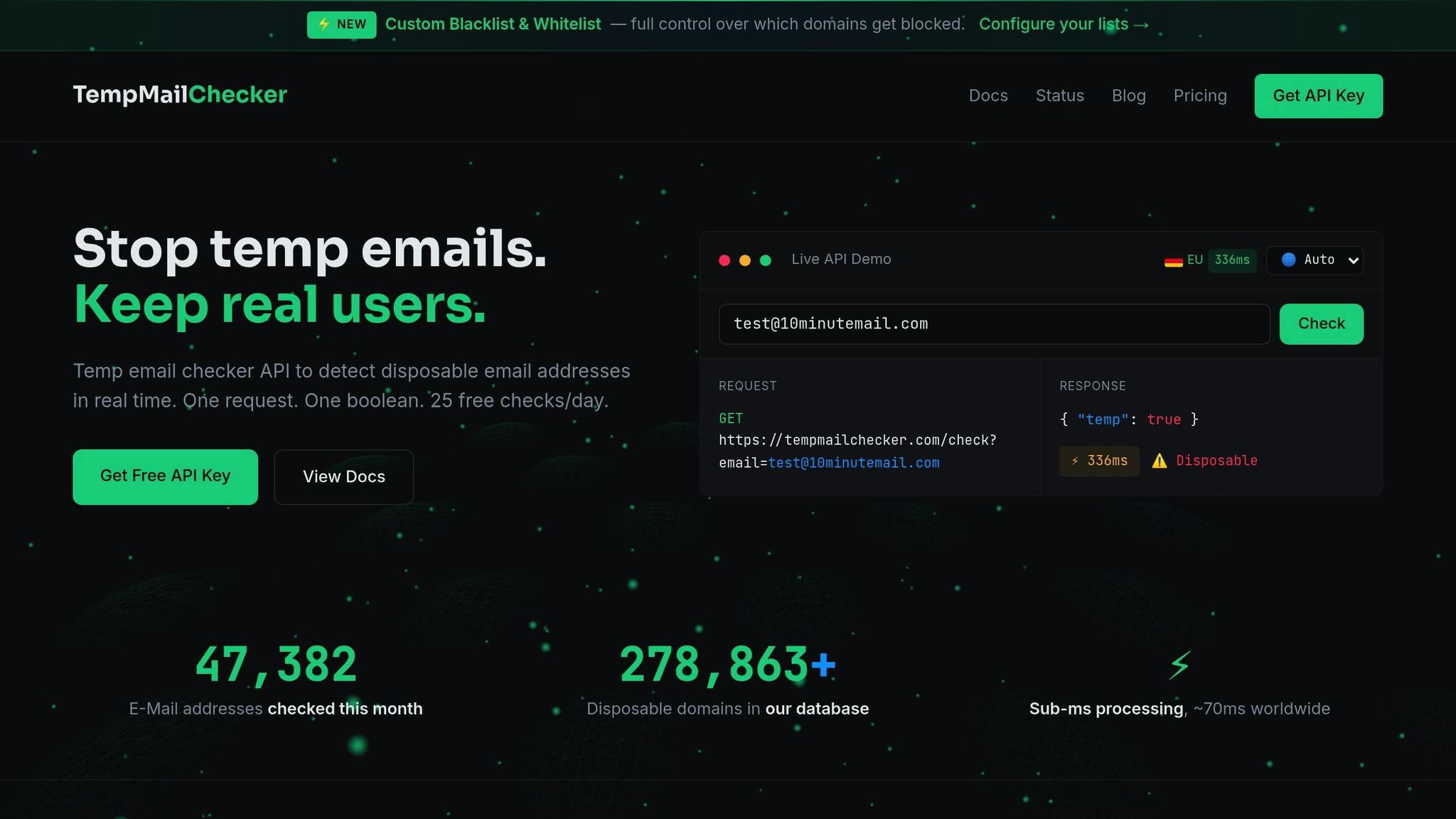
TempMailChecker is a powerful tool for identifying disposable emails quickly. It processes requests in under a millisecond and maintains a database of over 277,938 disposable domains, updated daily. With its REST API and clear JSON responses, it’s easy to integrate into your system.
The service offers a free testing tier and scalable plans starting at $12/month, making it accessible for businesses of all sizes. By instantly identifying disposable emails during registration, you can protect your campaigns and maintain clean email lists from day one.
Handle Privacy Relay Domains Separately
Privacy relay services, like Apple’s "Hide My Email" and Firefox Relay, aren’t the same as disposable emails. These addresses are often used by privacy-conscious users and remain valid as long as the alias is maintained. Blocking them outright could alienate genuine users.
Instead, treat relay addresses as a separate category. Monitor their engagement and enforce double opt-in to confirm legitimacy. For B2B scenarios, consider allowing relay addresses initially but request a company email later in the process.
Relay addresses do come with risks, such as unexpected hard bounces if the alias is disabled. Monitoring performance can help you manage this proactively. With email addresses appearing in 53% of all data breaches involving personal data in 2026, balancing user privacy with security is both a practical and ethical necessity.
Maintaining Email Hygiene: Ongoing Fraud Prevention Steps
Blocking disposable emails at signup is a great start, but it’s just the beginning. To truly safeguard your email deliverability and avoid wasting resources, you need to stay on top of regular maintenance. A consistent cleaning routine ensures your email list stays healthy over time.
Clean Your Email List Regularly
Did you know email lists shrink by 22%-25% every year? On average, only 67.8% of email addresses on a marketing list are valid. That leaves nearly a third of your contacts inactive or invalid.
To keep things in check, prune your list monthly by removing users who haven’t engaged in 90-120 days. Conduct quarterly audits using bulk verification tools to weed out invalid, disposable, or role-based addresses. This regular upkeep prevents fraudulent signups from skewing your metrics and ensures that your marketing efforts hit the right audience.
"The most effective email marketers I know treat their list like a garden. They don't just plant seeds and hope for the best; they consistently pull weeds (invalid addresses) and nurture the plants that are thriving." – Grant Ammons, Founder, Truelist.io
Pay special attention to role-based addresses like info@, support@, or admin@. These tend to have lower engagement rates and higher bounce rates. For subscribers who’ve been inactive for 6-12 months, send a re-engagement campaign. This gives legitimate users a chance to stay connected while helping you identify truly inactive accounts.
Track KPIs to Measure Fraud Reduction
Cleaning your list is essential, but tracking key metrics is what helps you measure the success of your fraud prevention efforts.
Start by keeping your hard bounce rate below 2%. If it creeps up to 2%-5%, it’s a warning sign that needs attention. Anything above 5% can harm your reputation with email service providers. Also, keep an eye on your spam complaint rate - anything over 0.1% can seriously hurt your deliverability.
Fraudulent activity often leaves clues in your signup data. Watch for red flags like multiple registrations from the same IP address, a sudden surge in signups followed by inactivity, or heavy use of free trial offers. Since disposable email domains have a 95% correlation with fraud, they’re a reliable indicator to monitor.
Set clear goals for your fraud prevention strategy. Aim to reduce fake signups by at least 70% while keeping your false positive rate (legitimate users mistakenly blocked) under 2%. These benchmarks help you strike the right balance between security and user experience. By keeping an eye on these KPIs, you’ll be able to spot fraud patterns early and take action.
| KPI Category | Metric to Track | Target/Benchmark |
|---|---|---|
| Deliverability | Hard Bounce Rate | < 2% |
| Fraud Prevention | Fake Signup Reduction Rate | > 70% |
| User Experience | False Positive Rate | < 2% |
| Financial | Fraud Loss Reduction | Decrease in chargebacks and trial abuse costs |
sbb-itb-cfbd9fd
Disposable Email Types and How to Handle Them
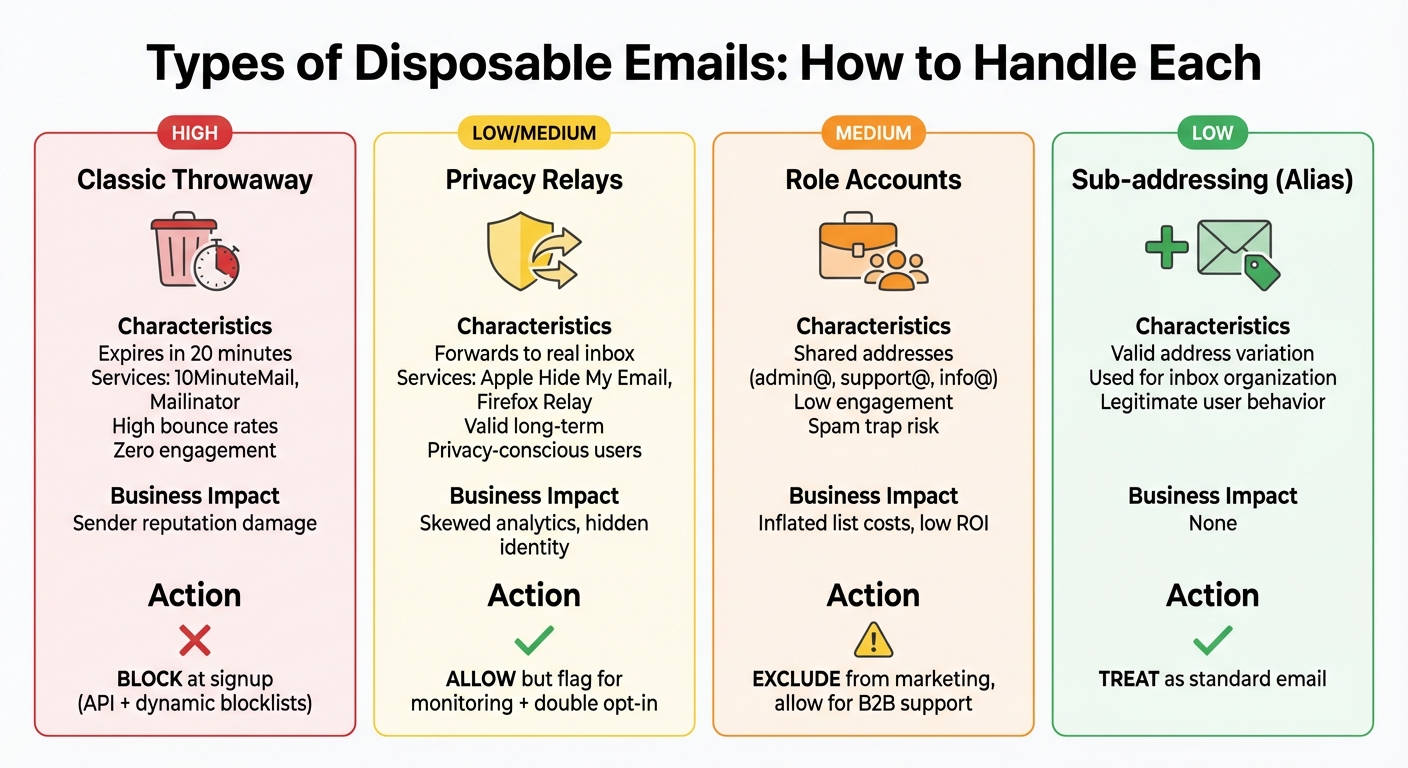
Types of Disposable Emails: Risk Levels and Recommended Actions
Disposable emails come in different forms: some vanish within minutes, while others forward messages to a permanent inbox. Knowing these variations is key to putting the right security measures in place, ensuring legitimate users aren’t inconvenienced. By tailoring your approach to each type, you can enhance your defenses without disrupting genuine interactions. Let’s break down the main types and how to manage them effectively.
Classic throwaway addresses are the riskiest. These temporary emails, provided by services like 10MinuteMail or Mailinator, can expire in just 20 minutes. They often lead to hard bounces, harming your sender reputation. The best move? Block these addresses at signup.
Privacy relay domains act as a shield, forwarding emails to a user’s real inbox while keeping their actual address hidden. Services like Apple's "Hide My Email" and Firefox Relay cater to privacy-focused users. Unlike throwaway emails, these addresses stay valid. Instead of outright blocking them, flagging for monitoring is a smarter approach. This ensures they’re still receiving and engaging with your emails.
Role-based accounts (e.g., admin@, support@, or info@) aren’t disposable but can behave similarly. These shared addresses often show low engagement and are at a higher risk of becoming spam traps. For marketing campaigns, it’s wise to filter them out. However, they can still be useful for B2B support purposes.
Comparison Table: Types of Disposable Emails
Here’s a quick overview of the different types, their risks, and how to handle them:
| Email Category | Risk Level | Business Impact | Recommended Action |
|---|---|---|---|
| Classic Throwaway | High | High bounce rates, zero engagement, sender reputation damage | Block at signup using API and dynamic blocklists |
| Privacy Relays | Low/Medium | Skewed analytics, hides user identity, but often legitimate users | Allow but flag for monitoring; use double opt-in to confirm delivery |
| Role Accounts | Medium | High risk of spam traps, low engagement, inflated list costs | Exclude from marketing campaigns; allow for specific B2B support/admin use |
| Sub-addressing (Alias) | Low | Valid address; used for inbox organization | Treat as a standard primary email; no special action needed |
Conclusion: Protecting Discounts with Real User Verification
Stopping disposable email addresses is a straightforward way to protect your revenue and ensure your promotions reach actual customers. By combining tools like real-time API detection, double opt-in verification, and regular email list cleanups, you can keep bounce rates comfortably below the 2% mark, all while keeping your promotional budget safe.
With TempMailChecker, this process becomes even easier. It offers lightning-fast detection - taking just milliseconds - and provides access to a constantly updated database of over 277,938 disposable domains. Plus, its affordable plans cater to businesses of all sizes, making it an accessible solution for ensuring your discounts land in the right inboxes.
The key is finding the right balance. Block obvious throwaway email addresses that disappear after a short time, but instead of outright rejecting privacy relay domains, flag them for monitoring. This way, you can minimize fraud while maintaining a user-friendly experience for privacy-conscious customers.
FAQs
What are the best ways for businesses to keep their disposable email blacklist up to date?
To keep a blacklist of disposable email domains effective, businesses should rely on an automated, real-time API that stays updated with the latest throwaway domains. This approach removes the hassle of manual updates and ensures new disposable email providers are blocked as soon as they surface. For instance, a service like TempMailChecker offers quick processing and maintains a robust database of over 277,938 domains, making it a dependable option.
Beyond automation, businesses can further refine their blacklist by analyzing sign-up logs to spot suspicious domains that might not yet be flagged. Regularly reviewing these logs and adding new disposable domains as they appear can significantly strengthen the blacklist. To ensure all systems stay aligned, integrate the blacklist updates into the deployment pipeline, so the most current data is always in use. Combining automated tools with proactive monitoring creates a strong defense against disposable emails and helps safeguard against potential fraud.
Why is using a double opt-in process important for email verification?
A double opt-in process adds an extra layer of verification to ensure email addresses are valid and belong to actual users. After someone signs up, they’re required to confirm their email by either clicking a verification link or entering a code sent to their inbox. This step helps weed out disposable or mistyped email addresses, which reduces hard bounces and spam complaints. Plus, it ensures you have explicit consent from subscribers, keeping you in line with anti-spam laws like CAN-SPAM and engaging only with users who genuinely want your emails.
When combined with a disposable email detection tool like TempMailChecker, the benefits multiply. TempMailChecker identifies temporary email domains during sign-up, while the double opt-in process verifies the authenticity of the rest. The result? A cleaner email list, lower bounce rates, a stronger sender reputation, and better-performing campaigns. In short, a double opt-in process not only shields your business from fraud and spam but also boosts the overall success of your email marketing efforts.
Why should privacy relay emails be treated differently from disposable addresses?
Privacy relay services, such as Apple’s Hide My Email, create unique email aliases that forward messages to a user’s real inbox. These aliases are linked to the user’s primary email and stay active, ensuring consistent communication while keeping their identity private. On the other hand, disposable email addresses are short-lived - often expiring within hours or days - and are frequently used for spam, fake registrations, or bypassing verification processes.
Blocking disposable email addresses is an effective way to cut down on fraud, spam, and bounce rates. However, lumping privacy relay emails into the same category could unintentionally block legitimate users who are simply prioritizing their privacy. A better approach is to validate privacy relay domains by checking for proper syntax and evaluating domain reputation. Meanwhile, disposable domains can be identified and flagged using tools like TempMailChecker’s real-time detection API.